Last modified 01/06/2026

📞🔍 How to recover contacts from your SIM card: Complete Guide for Android and iPhone

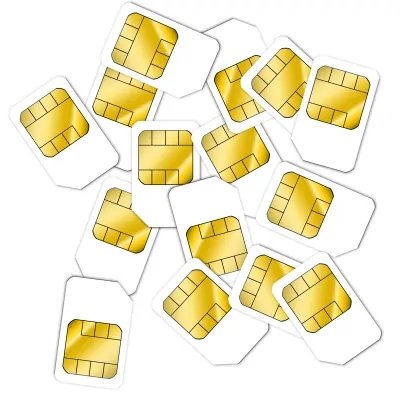
Image of recovering a deleted contact on iPhone, recover contacts on Android, contact backups, apps to recover contacts. #RecoverDeletedContacts, #DeletedContacts

How to recover contacts from your SIM card?.Did you lose your contacts saved on the SIM card and need to recover them urgently? 😥 Don’t worry, in this guide we’ll explain effective methods to rescue that valuable information, whether you use Android or iPhone. Plus, we’ll tell you how to avoid losing them in the future with practical tips. Let’s get started! 🚀


#RecoverContacts #SIMCard #LostContacts #Android #iPhone #GoogleContacts #iCloud #MobileSecurity

🎯Did you use these keywords to find this page?:

  • How to recover contacts from SIM card
  • Recover numbers saved on phone chip
  • Export contacts from SIM to Android iPhone
  • What to do if I lost my phone contacts
  • Apps to recover deleted contacts

🔹 Can Contacts Be Recovered from a SIM Card?

Yes! Although many believe that contacts on the SIM are lost forever, there are several ways to recover them, as long as:
✔ The SIM card isn’t physically damaged.
✔ You haven’t formatted or overwritten the data.
✔ You have access to the phone where it was inserted.

Important:

  • Modern SIM cards store fewer contacts than before (some only 250).
  • If you had them in phone memory or cloud, they’re easier to recover.

🔹 10 Frequently Asked Questions (FAQs)

How do I know if my contacts are on the SIM or phone?
👉 Go to Settings > Contacts > Storage (varies by model).

Can I recover contacts if the SIM is broken?
👉 Only with professional tools (and not always).

Do contacts on SIM get deleted if I remove it?
👉 No, they remain unless manually deleted.

How do I transfer my contacts from SIM to new phone?
👉 Use the “Import from SIM” option in Contacts Settings.

Why doesn’t my iPhone show the import from SIM option?
👉 Because Apple prefers iCloud. Try using an Android as backup.

Can contacts be recovered from a formatted SIM?
👉 Very difficult, but software like FonePaw might help.

Are contact recovery apps safe?
👉 Only use well-rated ones on Play Store or App Store.

How do I avoid losing contacts in the future?
👉 Sync them with Google, iCloud or export a .vcf file.


Can I view my SIM contacts on PC?
👉 Yes, with a USB SIM reader (sold on Amazon).

Are contacts lost on SIM if I change carriers?
👉 No, but when changing chips, transfer them first.


🔹 Methods to Recover Contacts from SIM (Step by Step)


📌 For Android Users

1. Export Contacts from SIM 📤

  • Go to Contacts > Settings > Import/Export.
  • Select “Export to internal storage”.
  • Choose “Copy from SIM card”.

2. Use a Recovery App (If SIM isn’t readable) 🔄

  • SIM Card Recovery (Play Store) can help.
  • Connect SIM to external reader via adapter.

3. Check if They’re in Google Account


📌 For iPhone Users

1. Try Importing from SIM 🍏

  • Go to Settings > Contacts > Import SIM Contacts.
  • Only works if you previously saved contacts on it.

2. Check iCloud

3. Use Recovery Software (Dr.Fone, iMyFone) 💻

  • Connect iPhone to PC and scan for lost data.

🔹 10 Useful Facts About SIM Contacts

  1. Old SIMs stored up to 500 contacts, new ones store fewer.
  2. If you change phones, export contacts to cloud.
  3. Some SIMs don’t allow recovery if electrically damaged.
  4. WhatsApp DOESN’T store contacts on SIM, only in your address book. 📱
  5. iPhones hardly use SIM for contact storage. 🍏
  6. If buying a used phone, erase SIM before using it. 🧹
  7. SIM contacts don’t include photos or advanced details. 🖼
  8. Some fake apps promise contact recovery (beware scams). 🚨
  9. Carriers DON’T keep copies of your SIM contacts. 📞
  10. Best prevention: sync with Google Contacts or iCloud. 🔄

🔹 10 Interesting Facts About SIMs and Contacts 🤯

📌 The first SIM card (1991) only stored 20 contacts.
📌 Some countries sell preconfigured SIMs with emergency contacts. 🆘
📌 Spies used to clone SIMs to access sensitive contacts. 🕵️
📌 There are rings and necklaces with hidden SIMs for “secret” contacts. 💍
📌 Some 90s SIMs had built-in “Snake” games. 🎮
📌 In Japan, SIMs stored personalized emoticons in contacts. 🇯🇵
📌 The record for contacts on a SIM is 1,024 (with technical tricks). 🏆
📌 SIM cards are used in vending machines and smart cars. 🚗
📌 Some hackers can extract contacts from SIM with electromagnetic waves. 📡
📌 In the future, SIMs might store emergency medical histories. 🏥


🎯Did you use these keywords to find this page?:

  • How to transfer contacts from SIM to new phone
  • Differences between contacts on SIM vs phone memory
  • Recover contacts without Google iCloud backup
  • SIM card reader to view contacts on PC
  • How to save contacts to cloud to avoid losing them

🔹 Recommended Social Media Hashtags #️⃣

#RecoverContacts #SIMCard #LostContacts #Android #iPhone #TechTips #Backup #GoogleContacts #iCloud #MobileSecurity


Ready to recover those lost contacts? With this guide, you have everything you need. If it helped you, share it! 📲💡 Do you have another method that works? Leave it in the comments! 👇😊

📱☁️Where Are Your Contacts Really Stored? (SIM vs Phone vs Cloud): Complete Guide

Have you ever wondered where your contacts are actually stored? On the SIM card, in phone memory, or in the cloud? 🤔 In this guide, we’ll explain the key differences, how to manage them properly, and how to recover them if lost. No more confusion! 🚀

🎯Did you use these keywords to find this page?:

  • Where are phone contacts stored
  • Contacts on SIM vs phone vs cloud
  • How to transfer contacts from SIM to Android iPhone
  • Backup contacts in Google Contacts or iCloud
  • Recover deleted phone contacts

🔹 Where Are Your Contacts Stored? (SIM vs Phone vs Cloud)

1. 📌 On SIM Card (The oldest method)

Advantages:

  • They remain when changing phones (as long as you use same SIM).
  • Don’t depend on Internet.
    Disadvantages:
  • Limited capacity (only stores names and numbers, no photos or details).
  • If SIM gets damaged, contacts may be lost.

🔧 How to save contacts to SIM?

📢 Share this article if you think it could help someone else.

  • Android: Settings > Contacts > Export > Save to SIM.
  • iPhone: Doesn’t allow direct saving to SIM (only import).

2. 📱 In Phone Memory (Internal storage)

Advantages:

  • Stores all information (photos, notes, emails, etc.).
  • Faster access.
    Disadvantages:
  • If phone gets damaged or reset, you could lose them.

🔧 How to back them up?

  • Android: Export as .vcf file or use Google Contacts.
  • iPhone: Enable iCloud Contacts in Settings > [Your name] > iCloud.

3. ☁️ In Cloud (Google, iCloud, Outlook, etc.)

Advantages:

  • Access from any device.
  • Automatic sync.
  • Protection against loss.
    Disadvantages:
  • Requires internet connection.
  • Depends on service security (e.g. account hacking).

🔧 How to enable cloud sync?

  • Android: Settings > Accounts > Google > Sync Contacts.
  • iPhone: Settings > [Your name] > iCloud > Contacts (enable).

🔹 10 Useful Facts About Contact Storage

  1. Modern SIMs store fewer contacts than old ones (before up to 500, now ~250).
  2. WhatsApp DOESN’T store contacts on SIM, only reads phone or cloud contacts.
  3. If you delete a contact on phone but it was on SIM, it may reappear.
  4. Google Contacts allows better labeling/organizing than SIM. 🏷️
  5. iCloud only saves contacts if manually enabled.
  6. Some fake apps promise “recover lost contacts” (beware scams!).
  7. Exporting contacts to .vcf file is most universal backup method.
  8. If selling your phone, erase contacts from internal storage. �
  9. Cloud contacts can be edited from any device.
  10. When switching Android to iPhone (or vice versa), use apps like “Move to iOS”.

🔹 10 Frequently Asked Questions (FAQs)

How do I know if my contacts are on SIM or phone?
👉 Go to Settings > Contacts > Storage (varies by model).


Can I transfer my contacts from SIM to new phone?
👉 Yes, with “Import from SIM” option in Contacts Settings.

What if I delete a contact on phone but it was on SIM?
👉 It may reappear after restart/sync. Delete from SIM too.

Are iCloud contacts deleted if I disable sync?
👉 No, but they won’t update on other devices.

How to avoid losing contacts if phone gets damaged?
👉 Backup to Google Contacts, iCloud or export .vcf file.

Does WhatsApp keep a copy of my contacts?
👉 No, it only accesses existing phone/cloud contacts.

Can contacts be recovered from broken SIM?
👉 Difficult, but a USB SIM reader might help.

Why doesn’t iPhone save contacts to SIM?
👉 Apple prioritizes iCloud. Use Android as bridge if needed.

How to sync contacts with Outlook or Yahoo?
👉 In Settings > Accounts, add email and enable sync.

Do cloud contacts take up phone space?
👉 No, they only download when opened.


🔹 10 Interesting Facts About Contacts 🤯

📌 The first SIM (1991) only stored 20 contacts.
📌 In South Korea, some contacts include “emoji” in names. 🇰🇷
📌 Movie spies clone SIMs to steal contacts… but real life is harder! 🕵️
📌 There are USB rings with hidden emergency contacts. 💍
📌 In Japan, old SIMs had “Snake” games. 🎮
📌 The contact record on SIM is 1,024 (with technical tricks). 🏆
📌 Some hackers can read SIM contacts via radio waves. 📡
📌 SIMs are used in smart cars for emergency numbers. 🚗
📌 Future SIMs might store medical histories. 🏥
📌 Google Contacts allows “labels” for better organization than SIM. 🏷️


🎯Did you use these keywords to find this page?:

  • What happens if I delete a contact from SIM
  • How to export contacts to .vcf file
  • Sync contacts between Android and iPhone
  • Best way to save contacts to avoid losing them
  • Differences between contacts on SIM vs phone memory

🔹 Recommended Social Media Hashtags #️⃣

#MobileContacts #SIMCard #GoogleContacts #iCloud #Android #iPhone #ContactBackup #UsefulTech #OrganizeContacts #DigitalSecurity


Now that you know where your contacts are really stored, you can manage them better. Do you prefer SIM, phone or cloud? Leave your opinion in comments! 👇😊
Where are phone contacts stored,Contacts on SIM vs phone vs cloud,How to transfer contacts from SIM to Android iPhone,Backup contacts in Google Contacts or iCloud,Recover deleted phone contacts.#MobileContacts #SIMCard #GoogleContacts #iCloud #Android #iPhone

💡Related posts :

01: 📞Australian phone directories
02: 📡Best mobile phone companies in Mexico
03: 🎵 Download free ringtones for iPhone
04: 📡England best mobile phone companies
05: 📖England phone books
06: 📞How to find phone numbers in Colombia
07: 📞How to Find Phone Numbers in Mexico
08: 📞How to find phone numbers in Spain
09: 📞How to find phone numbers in the USA
10: Impact of mobile phones on society
11: ✨Secret tricks, codes for iPhone
12: 📡The best mobile phone companies in the USA
13: Ways to recover contacts from a SIM Card
14: 📞What is the emergency line in the USA?

Image credits:
Images about how to recover contacts from SIM card:
Original about how to recover contacts from SIM card, courtesy of “Pixabay.com“. Modified by datosgratis.net


If you liked this page you can support us by sharing it on Facebook, Instagram, Twitter, WhatsApp, plus if you want you can collaborate with this portal by sending your tips about how to recover contacts from SIM card which will be published for other internet users like you – they’ll thank you.


Scroll to Top